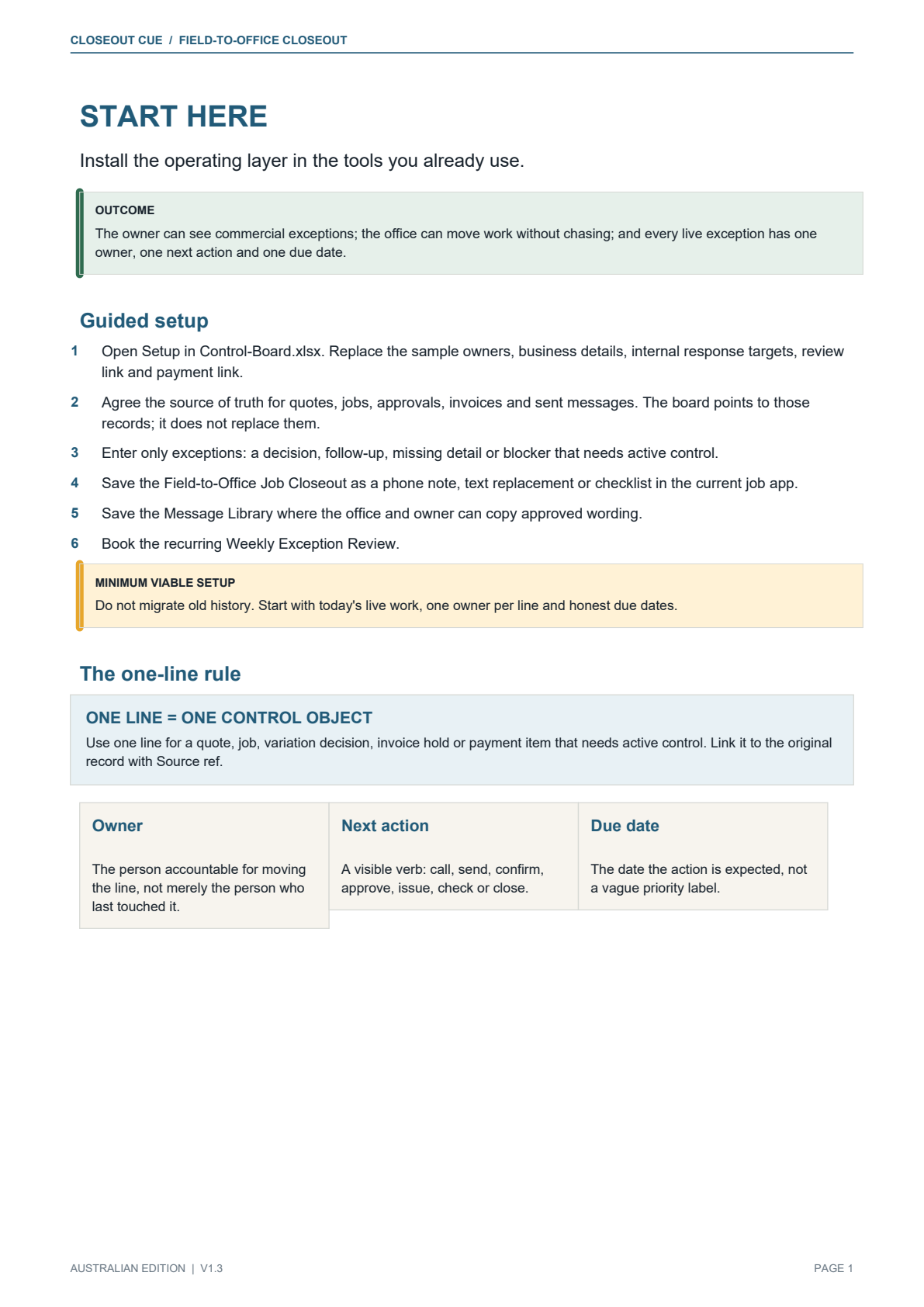
 ENLARGE ↗
START-HERE.PDF
Start Here
Install the closeout, board and role-ownership rules with live work.
The Field-to-Office Closeout System for Australian Trades
Closeout Cue is a downloadable field-to-office toolkit for Australian trade businesses. It helps stop completed jobs sitting unbilled because photos, approvals, parts or variation details are missing — without replacing your job-management software.
When the field is done, the office knows what's next.
$129 AUD · one-time · Downloadable toolkit · No subscription
THE CONTROL RULE
One field-to-office mechanism
The field sends the same nine facts when work finishes or pauses, using an ordinary job note, SMS, email or team chat.
Only work needing attention is entered, with one owner, one next action, one due date and a link to the source record.
Practical branches for silence, price questions, revision, deciding and closure — with clear stop rules.
Readiness checks, calm reminders, payment commitments and a separate path for genuine queries or disputes.
Thirty-five editable customer and internal messages with a trigger, classification and next control step.
Booking, customer updates, review and referral handling help the field and office stay coordinated through the job.
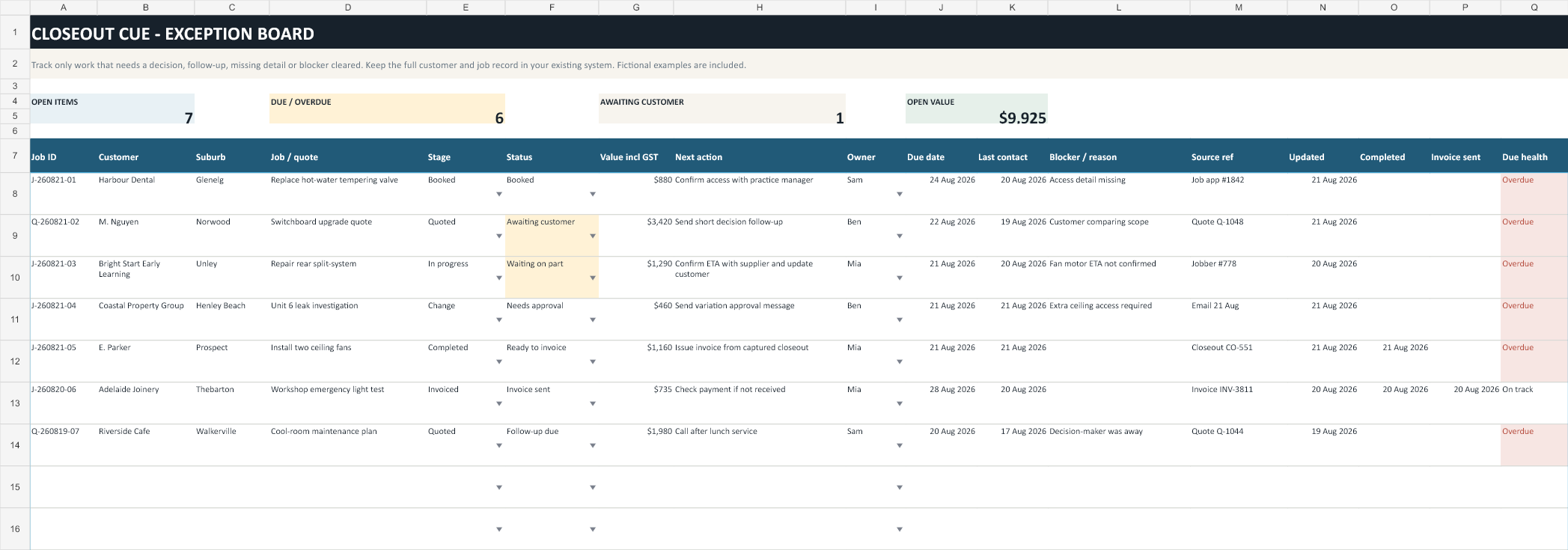
Closeout Cue v1.3
The field closeout, Control Board and system guides now include office triage, a two-week rollout, a baseline and 30-day check, 35 customer and internal messages, and eight worked exception cases. Select any preview to open it full size.
ENLARGE ↗Install the closeout, board and role-ownership rules with live work.
ENLARGE ↗An editable Excel board for live exceptions, owners, due dates and weekly control.
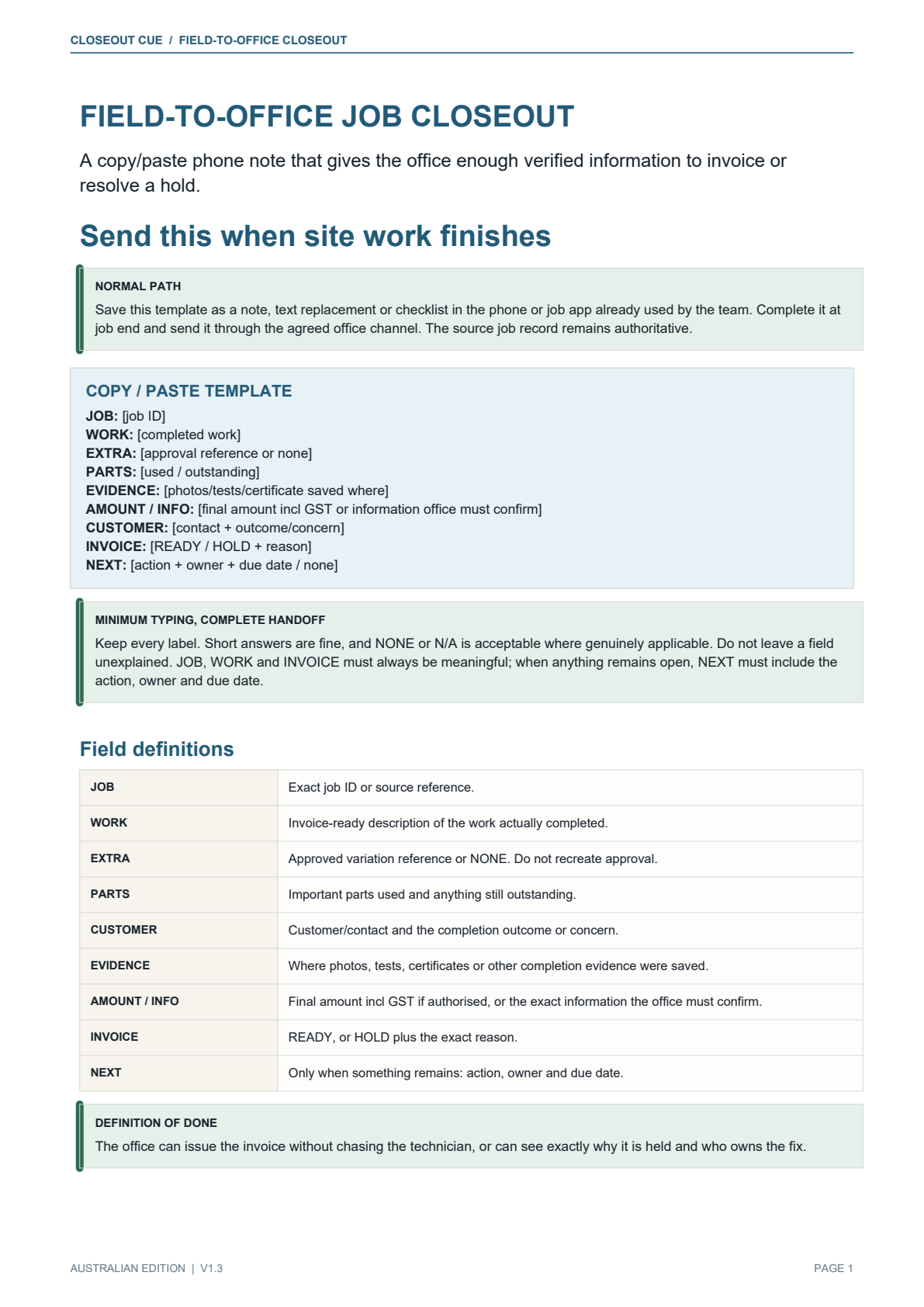 ENLARGE ↗
A phone-readable copy/paste format — no form, login or new app required.
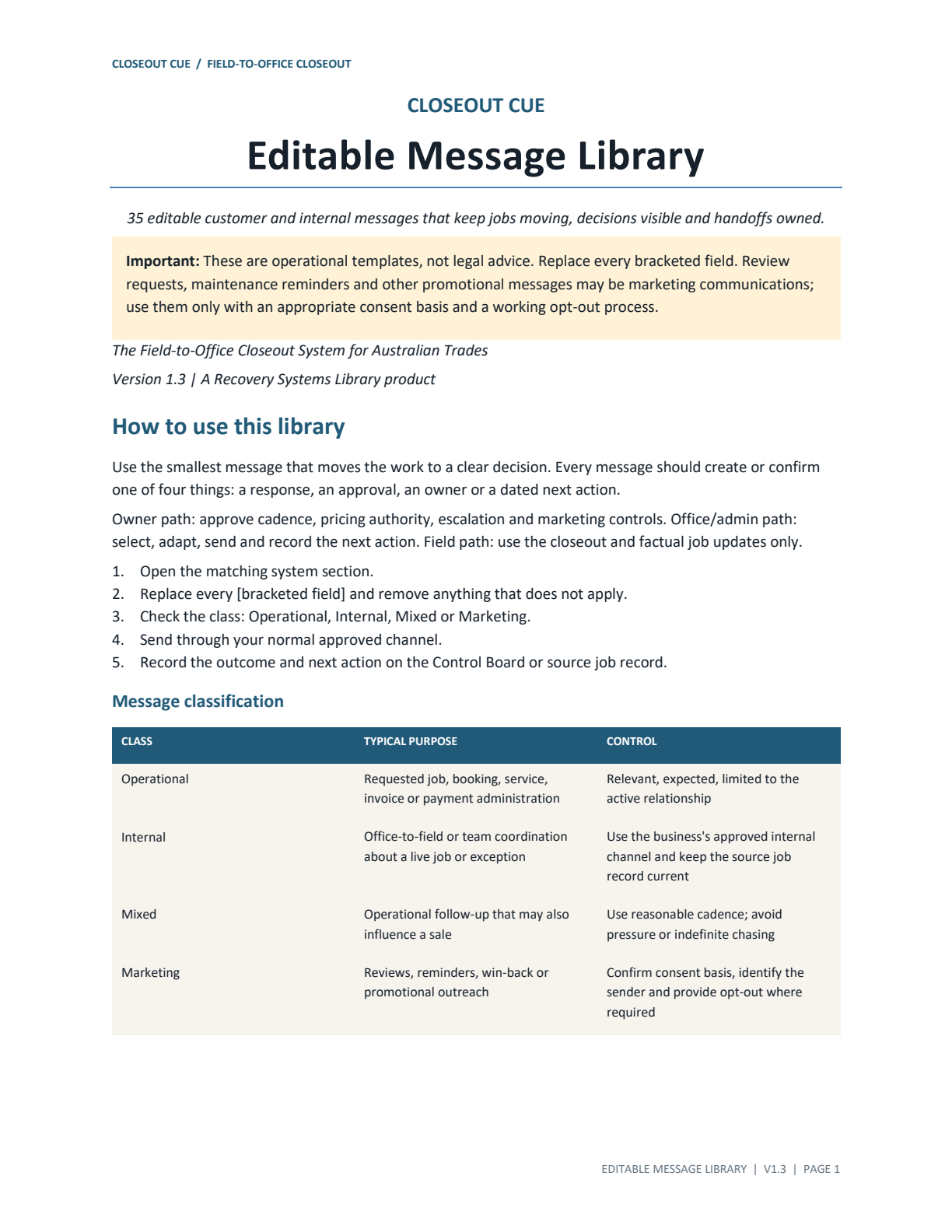 ENLARGE ↗
Thirty-five editable customer and internal messages, including quote, closeout and invoice branches.
 ENLARGE ↗
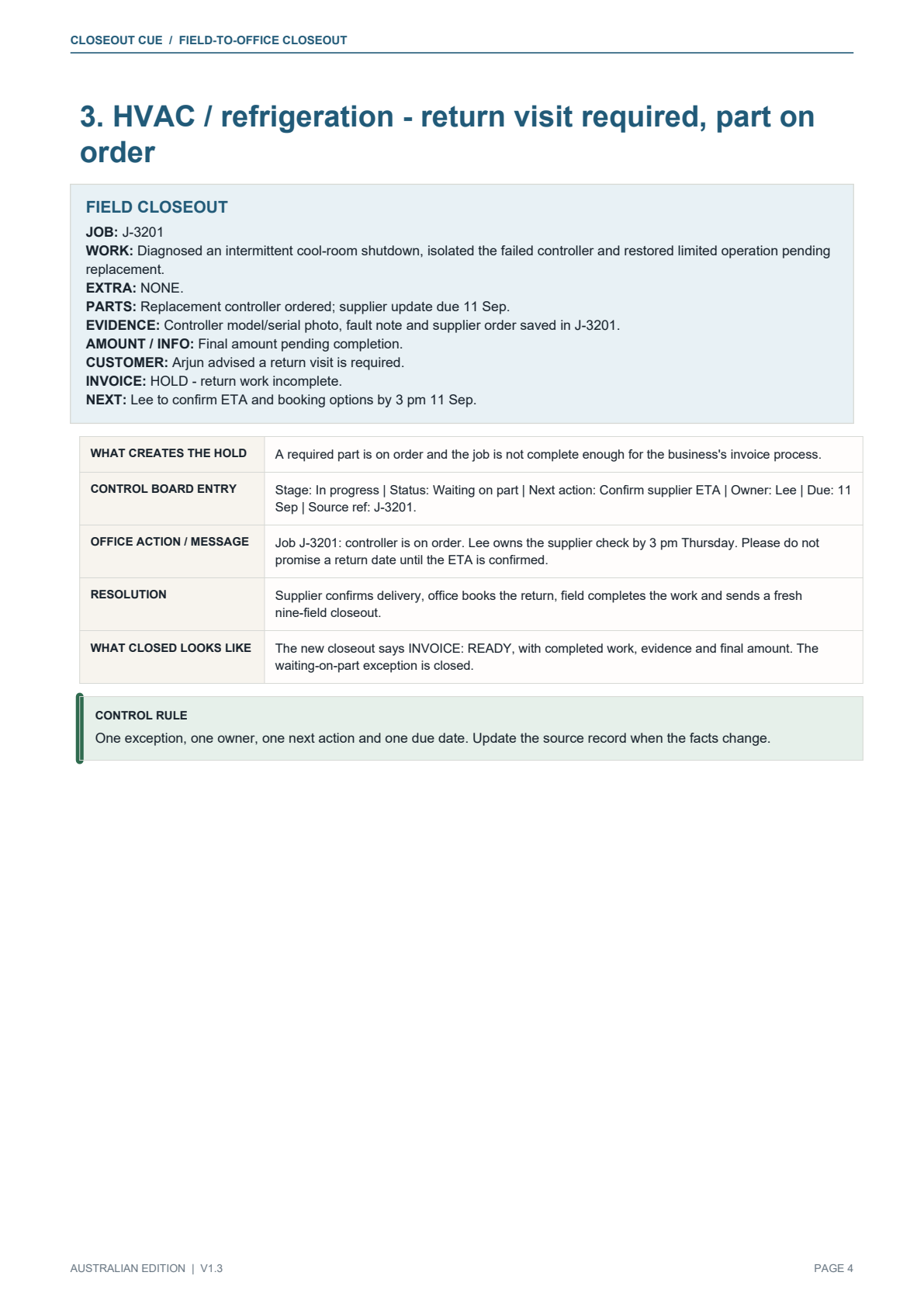
See how common hold situations move from field closeout to board action and resolution.
 ENLARGE ↗
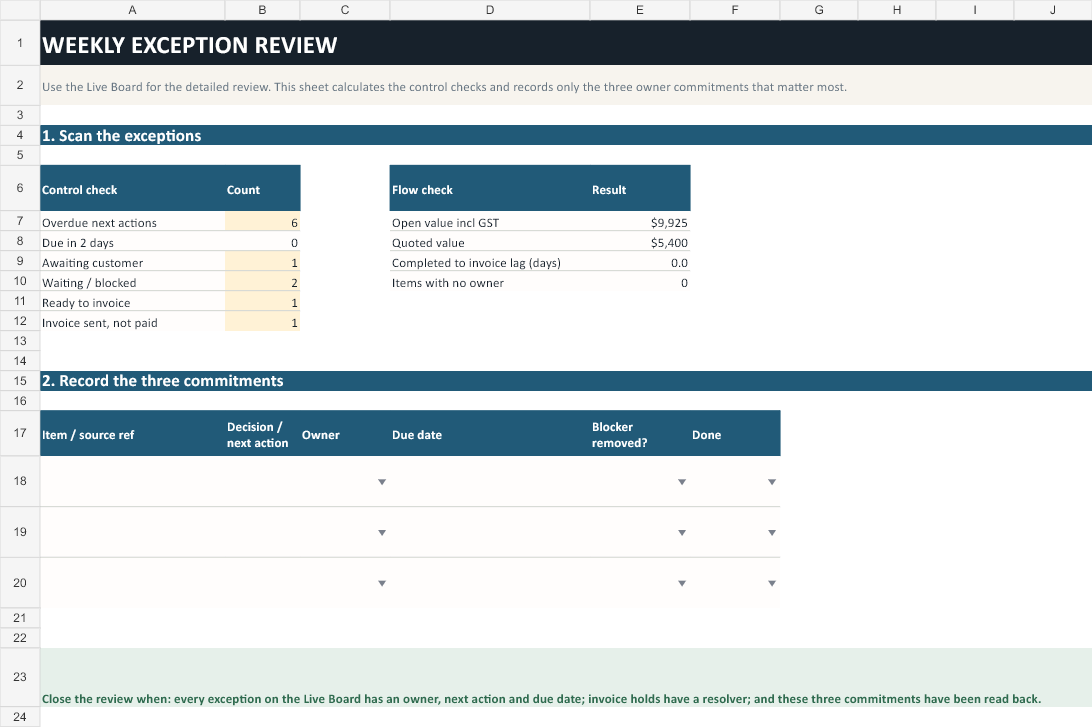
A short review of overdue, waiting and invoice exceptions — not a duplicate job list.
Two practical paths
Complete the closeout, add only genuine exceptions to the board, then use the quote and invoice branches as the day demands.
The field role supplies the facts. The office role issues, follows up and escalates. The owner reviews unresolved exceptions.
One fictional scenario
“Bathroom leak job — done? There was an extra valve. Photos somewhere. Invoice not sent.”
One product. One price.
$129 AUD
One-time purchase. No subscription.
A self-serve downloadable digital toolkit under a single-business licence. It includes PDFs, an editable Excel workbook, Word and text files. Any applicable tax and the final transaction total are shown before payment at checkout.
Practical guides
What the office needs when field work is finished.
The common handoff gaps that leave completed work waiting.
A lightweight process that works beside your current tools.
Questions before purchase
No. Closeout Cue is a downloadable operating kit made from PDFs, an editable Excel workbook, a Word message library and a plain-text fallback. It sits beside the tools you already use.
The rules are software-agnostic. Keep ServiceM8, Tradify, Fergus, Xero or your other source systems. Closeout Cue does not replace them, and those vendor names are compatibility examples rather than affiliations.
Closeout Cue v1.3 includes the nine-field Job Closeout, Control Board, 35-message library, seven system cards, an Implementation Plan, a Worked Exception Casebook, licence notes and editable text fallbacks.
No. It improves operating consistency and visibility. It cannot control customer solvency, disputes, contract terms, legal enforcement or business results.
No. It includes operational prompts and evidence checks only. Contract, consumer, safety, tax, privacy, licensing and state-specific requirements still need appropriate professional documents and advice.
Product, order, access, file and remedy support is available at support@closeoutcue.com.au. Implementation consulting, business advice and custom workflow design are not included.